top of page


Driving AI-integrated SaaS experiences, leading cross-functional teams to deliver collaborative B2B/B2C solutions aligned with business goals and user needs
CarbonGraph.io
Case Study
Digital SaaS Platform measures products' carbon footprint, making Life Cycle Assessments (LCAs) quick, compliant, and accurate. EcoScan is a free AI feature delivering an end-to-end user workflow.


LCA Platform

My Role
-
User Research
-
Competitive Analysis
-
Lead collaborative work sessions
-
Visual Design
-
Landing page redesign
-
AI feature & platform updates
-
Participate & review user sessions
Tools

EMPATHIZE & DEFINE

Overview
As a design team of one, I started by defining a primary use case to review the live landing page and the SaaS platform, then moved on to competitive analysis. At this point, with the Design Thinking process in mind, I began the Discovery and Research phase. A deep understanding of users and their desired outcomes from the product is needed before moving into the next phases, with a focus on available AI tooling and early collaboration with the team throughout each phase (Ideation, Sketching/Prototyping, Testing).
Current Challenges
LCA SaaS products currently lack the end-to-end experience needed to define the goal and scope of the assessment, outline the variables, and collect data on environmental impacts to be assessed and ongoing calculations.
Collaborative team
-
Developer
-
Full Stack Engineer
-
CEO & Founder
-
Designer (myself)
-
SMEs / Consulting Firm & PhD (data-science student)
PROCESS

Discovery & User Research
After the initial project kickoff meeting, I met with the Developer, Engineer, CEO, and Co-founder, and we shared some sketches and thoughts on what we believe the end-to-end user flow should be.


Competitive Analysis
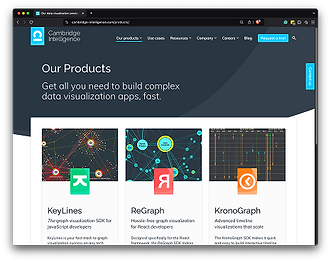
To gain a deeper understanding of the users and their workflows, I conducted a competitive and comparative analysis of similar products and signed on for free trials and tutorials.



Ideation & Wireframes
After synthesizing the research findings, with the design system in mind, I began wireframing toward a design solution.


Prototype & Test
Results from previous usability testing led to the understanding that drop-off rates were due to navigation and general UI confusion, and users not seeing value in the final results. With that in mind, I used Figma and AI tools to generate the initial mock-ups. As of today, AI tools are great for accelerating the product development process and removing roadblocks when more iterations are needed to get to the design solution phases. But human intervention is still needed to successfully deliver a design solution when human-centered design is the approach.
I shared these insights with the team, updated the UI to align with the information architecture, and pushed for a focus on updating reusable components in the design system. I tested high-level navigation and escalated the issues with the team. Despite user feedback and the current findings, we had to use the existing information architecture, so I focused on providing clarity through better helper text, process indicators, and everyday language in the general navigation UI and overall UX.
I was given a higher-priority project with a larger scope after initial rounds of prototyping and testing. Focusing on AI features and delivering an end-to-end LCA experience. I switched from leading design reviews to having work sessions with the developer and engineer. We took on the AI feature by following the process and approach we took for navigation and information architecture. My work influenced approaches and decisions throughout the team, leading to a more user-friendly architecture and meaningful UX patterns and workflows.


Usability Testing
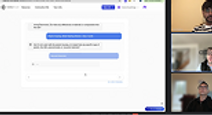
In collaboration with the engineering team and SMEs, I conducted usability testing of the prototypes. I reviewed the sessions, synthesized the data, and updated the prototype with the research findings. AI tooling was used for rapid low-code prototyping and user flow diagrams. Benefits included faster iteration times for customers and an AI loop of confirmations with ML analysis.

RESULTS


Outcomes
Partnering with the CEO and stakeholders to get the data from early adopters, sign-ons, and event feedback, the result was a success as we exceeded the number of early sign-ons set before the project started. EcoScan provided the users with a copilot experience to generate a starting point for a "source of truth" during the life cycle assessment (LCA) modeling workflow. The end result gave the user a dashboard with high-level data visualization related to the product they're making. I collaborated closely with backend and frontend engineers and reviewed user testing recordings.
Key Takeaways (Approach to complex and visual problem solving)
-
Immerse yourself in the user understanding and carry that empathy through each design phase.
-
Systematic design (cohesive by default)
-
Ideate > Prototype > Test (Repeat)
Ongoing practice in Collaborative Communication (the top two topics I focus on are Active Listening and the Ability to Learn/receive feedback). Integrating AI tooling into existing workflows resulted in accelerated time-to-market, efficiency, and improved decision-making.
Work sessions with the developer and engineer, and collaborating early at every phase, were highly valuable. I recognized that communication during work sessions was smoother than during design reviews with the entire team. Dialog, ideas, and feedback came naturally during work sessions, so that I can take them into design iterations. This resulted in design reviews without any surprises.
Design decisions and iterations were based on usability findings, team collaborations, design system, user research, and SME sessions.
(end of case study)
bottom of page